Human-Written Vlog: Online Shopping Safety Guide (Stay Smart, Stay Safe)
Online shopping has become such a normal part of our lives that many people don’t even think twice before entering their card details. One click, one tap, and your order is on the way. But the truth is, the internet is full of traps, fake sellers, shady offers, and links that look harmless but can empty your bank account in a few seconds.
So here’s a simple, real-world, human-written guide to stay safe while shopping online — no tech jargon, no complicated rules, just straight sense that will actually protect you.
-
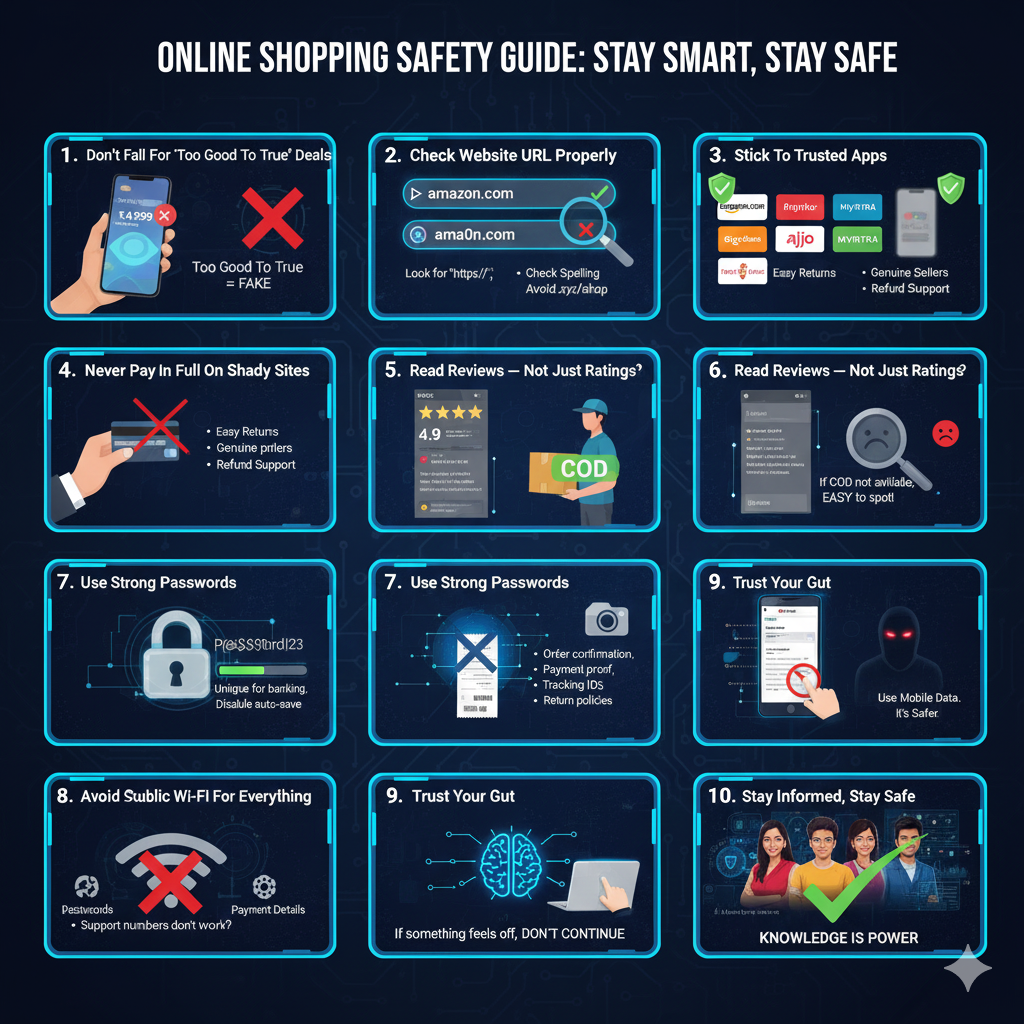
Don’t fall for “too good to be true” deals
If a website is selling a ₹20,000 phone for ₹4,999… or brand shoes for ₹499… just understand one thing — it’s a scam.
Scammers know how to create professional-looking pages. Even fake Instagram ads look real now. Whenever a deal looks unbelievable, believe that it’s fake.
-
Always check the website URL properly
A lot of fake websites copy famous brand names but change just one letter.
Examples:
- amaz0n.com
- flipcartsale.in
- myntra-discount.shop
At first glance, you won’t even notice it.
Before buying anything:
- Look for
https:// - Check for spelling mistakes
- Avoid weird domain endings like
.shop,.xyz,.live(unless the brand itself uses it)
-
Stick to trusted apps and official websites
If you can buy from:
- Amazon
- Flipkart
- Ajio
- Myntra
- Croma
- Reliance Digital
…then don’t randomly order from unknown pages you saw in a reel.
Trusted apps have:
- Easy returns
- Genuine sellers
- Refund support
- Better tracking
Small or unknown sites may disappear the moment you place an order.
-
Never pay in full on shady websites
If you’re unsure about a site:
- Use Cash on Delivery (COD)
- Avoid UPI / Net Banking / Card payments
Fraud sites mostly force online payment because they know you’ll never receive your product. If COD is not available, it’s already suspicious.
-
Read reviews — not just ratings
Fake products come with fake 5-star ratings. Detailed reviews with real photos and specific issues are harder to fake.
-
Use strong passwords and don’t save your card everywhere
A weak password is an open door.
- Don’t use “12345”, your name, or your birthday
- Use different passwords for banking and shopping
- Disable “save card” on unknown platforms
If your account gets hacked, saved cards are the first thing attackers target.
-
Keep screenshots of everything
Save order details, payment IDs, emails and chats. They’re your proof during refunds or disputes.
-
Avoid shopping on public Wi-Fi
Free Wi-Fi at restaurants, bus stands, or airports is risky. Hackers can:
- Steal passwords
- Capture payment details
- Access your personal data
Use your mobile data instead. It’s safer.
-
Trust your gut — if something feels off, don’t continue
If a website feels shady, the design looks cheap, support numbers don’t work, or the return policy sounds confusing — just close the site. Your instincts are smarter than you think.