Amazon’s 300 Million User Warning: How Black Friday Scams Are Targeting You
Black Friday is supposed to be the most exciting shopping week of the year—but this time, the danger isn’t just overspending.
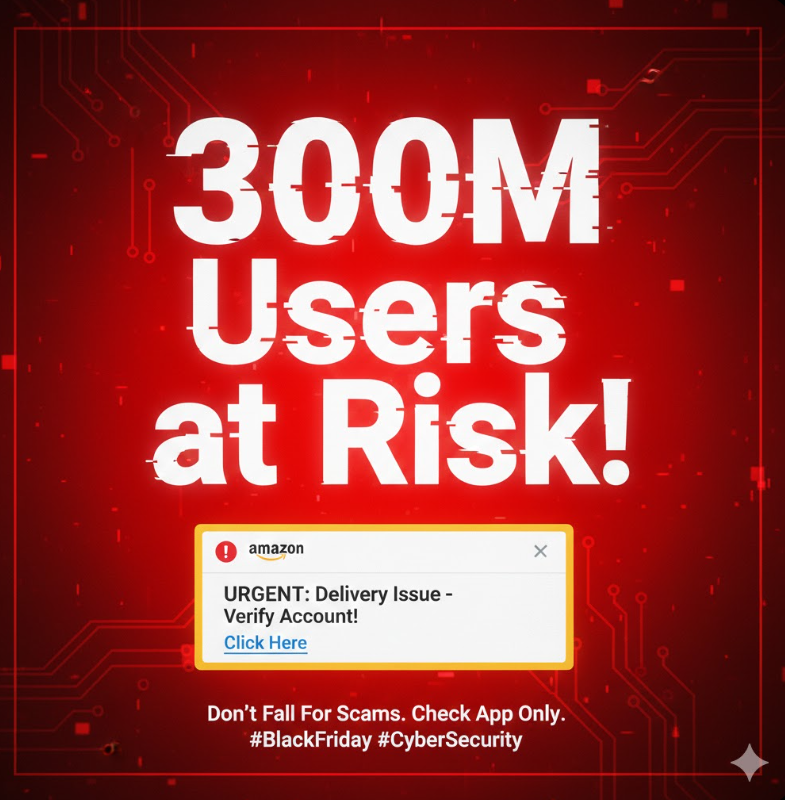
Amazon has issued a serious warning to its 300+ million active users after a massive spike in impersonation scams targeting online shoppers.
Cybercriminals are using fake alerts, browser pop-ups, look-alike Amazon websites, and misleading delivery messages to steal your login details, OTPs, and financial information. With millions of people hunting for deals, scammers see the perfect, chaotic opportunity to strike.
Let’s break down exactly what’s happening—and how you can protect yourself.
The Scam Surge Behind the Warning
These scams are highly engineered to look extremely convincing, often matching Amazon’s layout, colors, and style. All it takes is one panic-driven click, and your Amazon password, saved card data, OTP codes, and delivery address can be stolen instantly.
🎣 How These Scams Trick You
| Scam Type | How It Works | The Goal |
|---|---|---|
| Fake Order Problems | “Alert: Your recent order has been placed twice — click immediately to fix it.” Link goes to a cloned site. | Create panic so you click before checking in the official app. |
| Delivery Failure SMS/Email | “We couldn’t deliver your package — update address/payment.” | Harvest login, card, and address details. |
| Browser Pop-ups | Malicious sites trigger “Amazon account locked — verify now.” | Capture credentials via a fake form. |
| Look-alike Domains | URLs like amaz0n-offers.shop or amazon-secure-verify.com. |
Impersonate the brand and steal passwords/OTPs. |
Amazon’s Official Guidance
- Do not click delivery/order notifications unless checked inside the official app.
- Do not trust browser pop-ups asking for login info.
- Always verify the URL (look for the lock icon and
amazon.inoramazon.com). - Amazon will never ask for OTP or card details via unsolicited SMS or email.
- If something feels off, assume it’s a scam and verify in the app.
🛡️ How to Protect Yourself During Black Friday
- Use only the official Amazon app for browsing deals and tracking orders.
- Never click links from random texts or emails about delivery.
- Enable Amazon’s 2-step verification (2SV/MFA) immediately.
- Turn off suspicious browser notifications from sites you don’t recognize.
- Check the full address bar every time before logging in.
- Report fake messages inside the app or to customer support.
💰 The Economics Behind These Attacks (Why They Scale)
The cost to set up a convincing phishing site is tiny—so attackers deploy hundreds at once.
| Component | Estimated Cost | Notes |
|---|---|---|
| Domain Registration | $1–$15 per domain | New/obscure TLDs (.shop, .top, .xyz) often discounted; bulk lowers cost. |
| SSL Certificate | $0 (free) | Let’s Encrypt or similar adds the HTTPS lock, boosting trust. |
| Website Hosting | Low / Disposable | Cheap hosts or compromised servers; sites only need to live hours or days. |
Bottom line: A realistic phishing site can be launched for under $20, yet a single fake store can net thousands before takedown. Fast setup + low cost = industrial-scale abuse.
📈 Why the ROI Is Massive
- Low barrier to entry: cheap domains + free SSL + automated kits.
- High conversion: even 3–8% victimization on large traffic is profitable.
- Speed: register → clone → run ads/social spam → move to next domain.
Final Word
Black Friday may be about deals, but for scammers it’s hunting season. With Amazon warning over 300 million users, the threat is global and highly organized. Stay alert, double-check everything, and shop safely.